On Time on Task: What It Means and How to Measure It
Learn what on time on task means, why people overestimate it, and how to measure, improve and protect focused work time with simple steps.
You blocked two hours for the proposal, the inbox stayed closed, and the afternoon still felt thin. So was that time actually on time on task, or only time that looked busy on the calendar?
Those two ideas get mixed up all the time. A calendar block is a promise. Reported time is a memory of that promise. Engaged time is the minutes your attention stayed with the work you meant to do. A founder can sit in a two-hour writing block, feel exhausted, and still have spent much of it deciding, checking, and restarting.
The useful goal isn't a perfect on-task percentage. It's appropriate engagement with the right task at the right moment. Some switches help a launch. Some switches are avoidance. Measuring the difference is the skill.
What On Time on Task Really Means
Think of a kitchen timer set for twenty minutes of soup. The timer counts the full twenty whether anyone is at the stove. The cook is engaged only while stirring, tasting, and adjusting the heat. Stepping away to answer a text doesn't stop the timer. It does stop the cooking.
On time on task works the same way. It means staying engaged with the intended activity during the time set aside for it. The core measure is how long you stay with that activity before switching to something off-task.
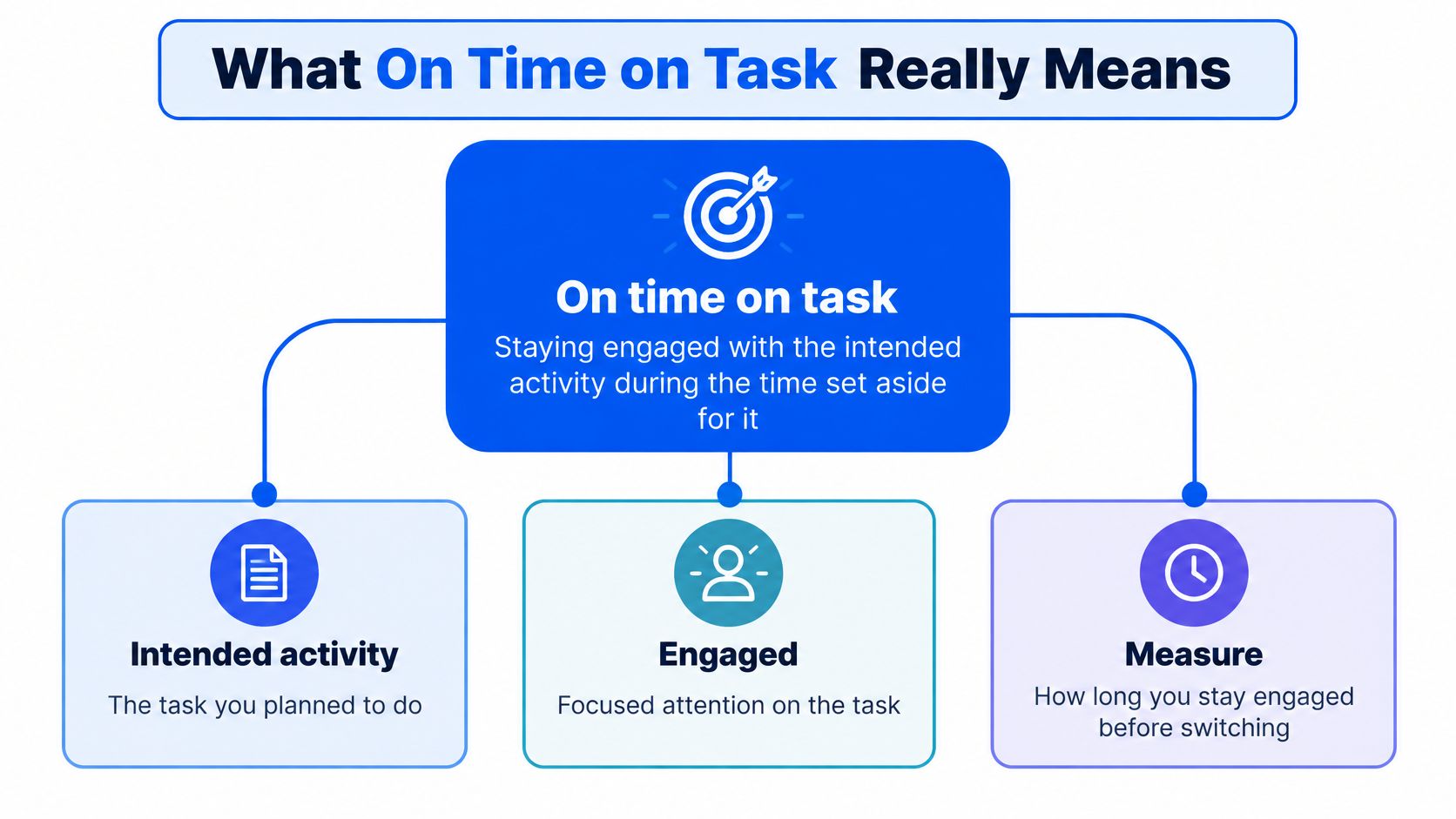
Three clocks, not one
Scheduled time is the block on the calendar. It shows intention. It doesn't show what happened inside the block.
Engaged time is the minutes spent on the intended task. Pauses, tab hops, and blank staring don't count, even if you never left the chair.
The uninterrupted stretch is the longest run before a switch. A two-hour writing block might hold 80 minutes of engaged time, with the longest unbroken stretch around 12 minutes. The afternoon wasn't empty. It also wasn't two solid hours.
People working in ordinary settings don't stay glued to one task for long. In an observational study using video-recording glasses, participants deviated from their main task about every 3.5 minutes on average, and they stayed inside their principal working sphere for roughly 6 minutes before switching away, a measure that includes the core task and closely related activity, according to ETH Zurich research. Self-initiated interruptions made up nearly 60% of off-task time.
That pattern is something you can measure and change. It isn't a fixed personality trait. Short stretches don't, by themselves, prove the work failed. They do show why "I worked for two hours" is a weak claim until you separate the three clocks.
| Measure | What It Counts | Example | Why It Matters |
|---|---|---|---|
| Scheduled time | Time blocked on the calendar | A 2-hour writing block | Shows intention, not output |
| Engaged time | Minutes actually spent on the intended task | 80 minutes inside that block | Shows real effort |
| Uninterrupted stretch | Longest run before switching away | 6 to 12 minutes | Shows how fragile attention is |
Practical rule: Log the block, the engaged minutes, and the longest stretch. One number can't stand in for the other three.
How to Measure Your Own On-Task Time
Memory is a poor stopwatch. In a 2025 study of students completing computer-programming assignments, participants over-reported their time-on-task 78% of the time, according to a paper in PMC. On average they reported 2.2 hours for every hour spent engaged, and the median was still 1.45 reported hours per actual hour.
A sheet beats a feeling. Pick one real block, such as a client proposal or a problem set, and write down what the clock and the switches did.
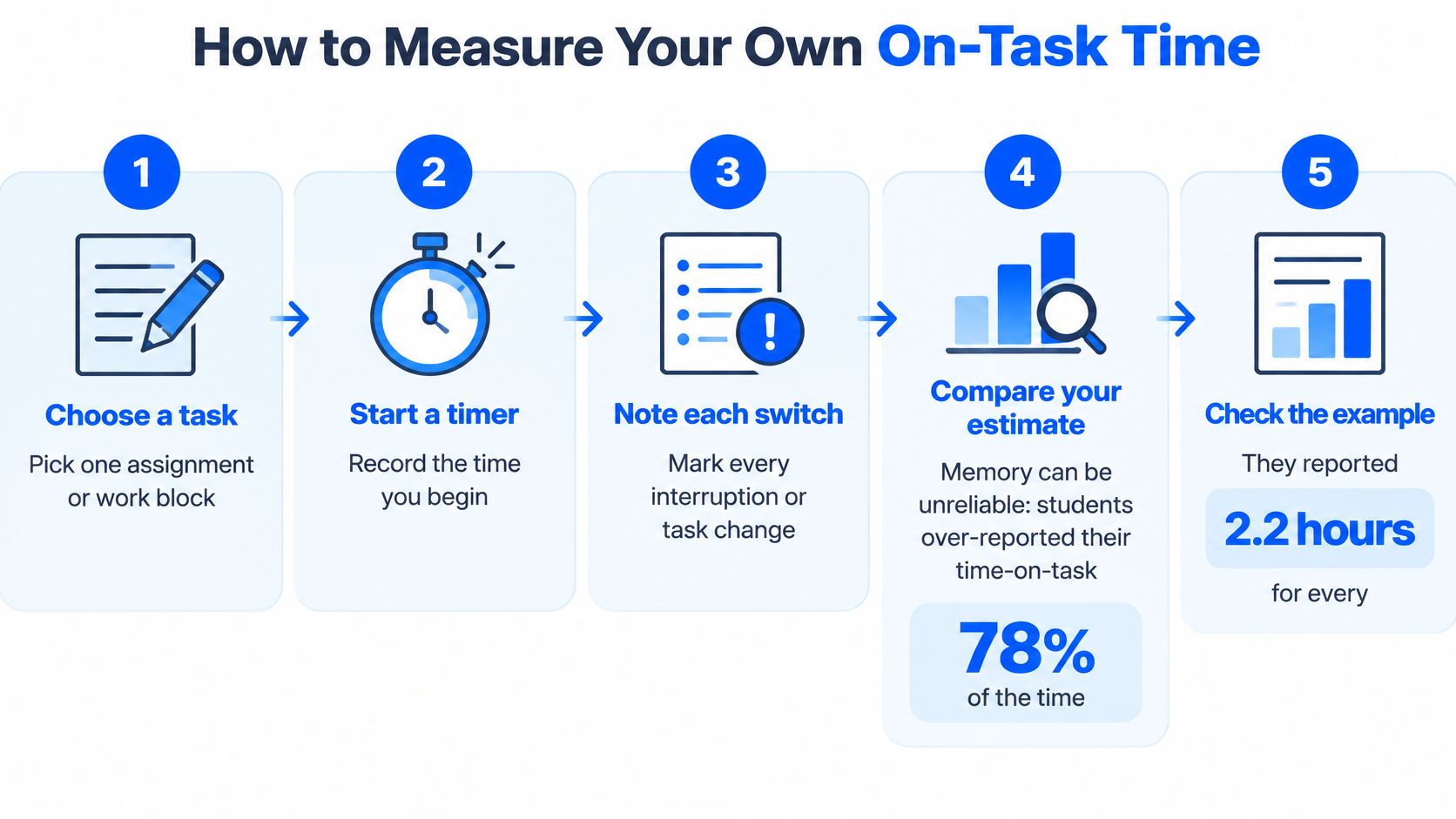
A seven-step log
- Name the task exactly. "Draft the pricing section of the Acme proposal" is a task. "Work" is a mood. A precise name makes a switch obvious.
- Set a timer for the planned block. Twenty-five minutes is a workable start. The timer is the scheduled clock, not a verdict on your character.
- Log start, every switch, and the return. A notes app or a paper grid is enough. Columns for start, left, and back keep the math honest.
- Mark the switch as self-started or external. Opening Slack or a new tab is self-started. A colleague at the door is external. The split shows whether the pull came from you or from the room.
- Write the reason in three to five words. "Unsure of next sentence" is useful. "Got distracted" is not. Short reasons reveal a pattern after a few days.
- Calculate the engaged percentage. Divide engaged minutes by scheduled minutes, then note the longest uninterrupted stretch. Forty engaged minutes in a 50-minute block is 80%, even if the longest run was nine minutes.
- Repeat across five sessions before you change anything. Five sessions make a baseline. One rough afternoon doesn't.
How to read the sheet
A rising engaged percentage with steady output quality is progress. A long list of switches with blank reasons means you still don't know what pulled you away. Keep the sheet. The next pass is about the forces behind those switches, not about adding more hours to the calendar.
Attention, Goals and Environment Shape Your Focus
Attention behaves like a spotlight. It's narrow, and it drifts toward whatever is brightest. Goals behave like a map. A vague destination makes you stop at every corner. The environment behaves like a room layout. A phone on the desk, or twelve open tabs, is a hallway that invites a detour.
These aren't character flaws. They're conditions you can see and adjust one at a time. If the same drift shows up in study, creative work, and meetings, the reasons distraction feels so easy are often sitting in the task, not in a lack of discipline.
What each factor looks like
| Factor | Typical Sign | Effect on On-Task Time | Simple Adjustment |
|---|---|---|---|
| Attention | Mind drifts or urges to check messages | Shorter uninterrupted stretches | Name the next physical action before starting |
| Goals | Task is vague, such as work on report | Frequent switching to decide what to do next | Write a specific first step with a clear stopping point |
| Environment | Phone in view, many open tabs, noisy shared space | More self-started switches | Close unrelated tabs and place the phone out of reach |
| Task fit | Task is far too easy or far too hard | Boredom or avoidance drives switching | Split the task into a smaller challenge or a clearer step |
Task fit belongs on the list because difficulty pushes people off the work. A task that's far too easy invites boredom. A task that's far too hard invites avoidance. Either one produces switches that look like laziness and aren't.
Say a student writes "work on essay" on the to-do list. The first 15 minutes can vanish while they hunt for a starting sentence. "Draft the second paragraph of the introduction, then stop" gives a first action and a finish line. The same rewrite helps a founder. "Think about hiring" becomes "list three roles to fill before Friday, then close the doc."
They stack
A vague goal in a noisy room produces far more switching than either problem alone. The spotlight has nothing steady to land on, and the room keeps offering exits. Change one factor for a week. If you fix the phone, the tabs, and the task wording on the same morning, you won't know which change helped.
How Long Interruptions Take to Recover From
Resumption lag is the time between handling an interruption and getting back into the main task. A longer lag is lost work even after you ignore the interruption itself, because the original task takes more total time.
Controlled office-work research found average resumption lag of about 3.6 seconds for uninterrupted application switching, 3.8 seconds for interrupted application switching, and 4.6 seconds when the interruption arrived away from a natural task breakpoint, as reported in a chapter on how interruptions affect productivity. These are averages from controlled office settings, not universal human recovery times. Task complexity and what the interruption contains change the result.
| Interruption Situation | Average Resumption Lag | What It Signals |
|---|---|---|
| Uninterrupted application switching | About 3.6 seconds | Baseline cost of switching between tools |
| Interrupted application switching | About 3.8 seconds | A small added cost when a switch is itself interrupted |
| Interruption away from a natural breakpoint | About 4.6 seconds | Timing matters: interrupt at a breakpoint when possible |
Timing beats length
The moment an interruption lands matters as much as how long it lasts. Reaching a breakpoint before you check messages is a small habit with a measurable effect. Field logs of application windows and alerts show that real work already suspends and restarts all day. You don't need to eliminate every ping. You need a place to land when you come back.
Two actions make a breakpoint:
- Write a one-sentence restart note. "Stopped after the cost table, before the risks paragraph." Future you shouldn't have to reconstruct the page.
- Record the next action on paper. "Add the two risk bullets, then save." The mind doesn't have to hold the thread while you answer the message.
Batch notifications after that note, not before it. People who want a fuller set of workplace habits can look at ways to stay focused at work and then test one breakpoint ritual for a week. Success is fewer interruptions and a shorter lag, with accuracy still high. A faster return that ships sloppy work isn't a win.
Why Removing Distractions Often Falls Short
A writer puts the phone in another room, feels virtuous, and an hour later opens a news site on the laptop. The phone rule held. The pull didn't.
A 2025 experimental study found that making smartphones less accessible reduced smartphone use, but participants shifted non-work activity onto their computers, total time on work and leisure stayed the same, and overall work fragmentation didn't depend on smartphone access, according to Frontiers in Computer Science. Taking one object away rarely removes the reason for leaving.
Ask what the switch was for
People leave a task for reasons that have nothing to do with a device sitting nearby.
- Boredom. The work is too flat, so any new tab feels like relief.
- Uncertainty. The next step isn't clear, so choosing a different task feels productive.
- Emotional discomfort. The draft is hard, and leaving lowers the tension for a minute.
- Fatigue. The body wants a pause, and a scroll is the nearest option.
- A real need to recover. A short break would help, if it had an ending.
Build a replacement, not a ban
- Name the need in one sentence before you switch. "I'm avoiding the pricing paragraph" is more useful than a silent click.
- Keep a short break menu. Stretch, drink a glass of water, or walk around the block. Pick from the menu instead of inventing a detour.
- Write the next small action so uncertainty drops before you leave the chair.
- Separate restorative pauses from avoidance. A restorative pause has a set end time. Avoidance doesn't.
The plan works better when it respects the need behind the switch. A ban on the phone, with no replacement, just moves the same need to the nearest screen.
Why Being Busy Is Not the Same as Progress
Long uninterrupted blocks aren't automatically the best work. A founder checking a dashboard during a launch, a researcher moving between a paper and a draft, and a manager coordinating between meetings are all switching on purpose. Treating every switch as failure punishes roles that require alternation.
A 2025 naturalistic workplace study of 15 knowledge workers found that multitasking didn't automatically reduce efficiency, and that effects depended on context and on traits such as conscientiousness, negative urgency, and agreeableness, as described in ETH Zurich's publication record. Classroom observation offers a separate reference point, not a target. Students were engaged for about 10 of every 15 minutes, about 66.7% of observed instructional time, while continuous on-task behavior averaged only six minutes, according to a Pacific University summary of time-on-task estimation. Engagement near two-thirds of a session, with stretches near six minutes, is ordinary. A higher figure is worth keeping only if output quality and energy afterward hold up.
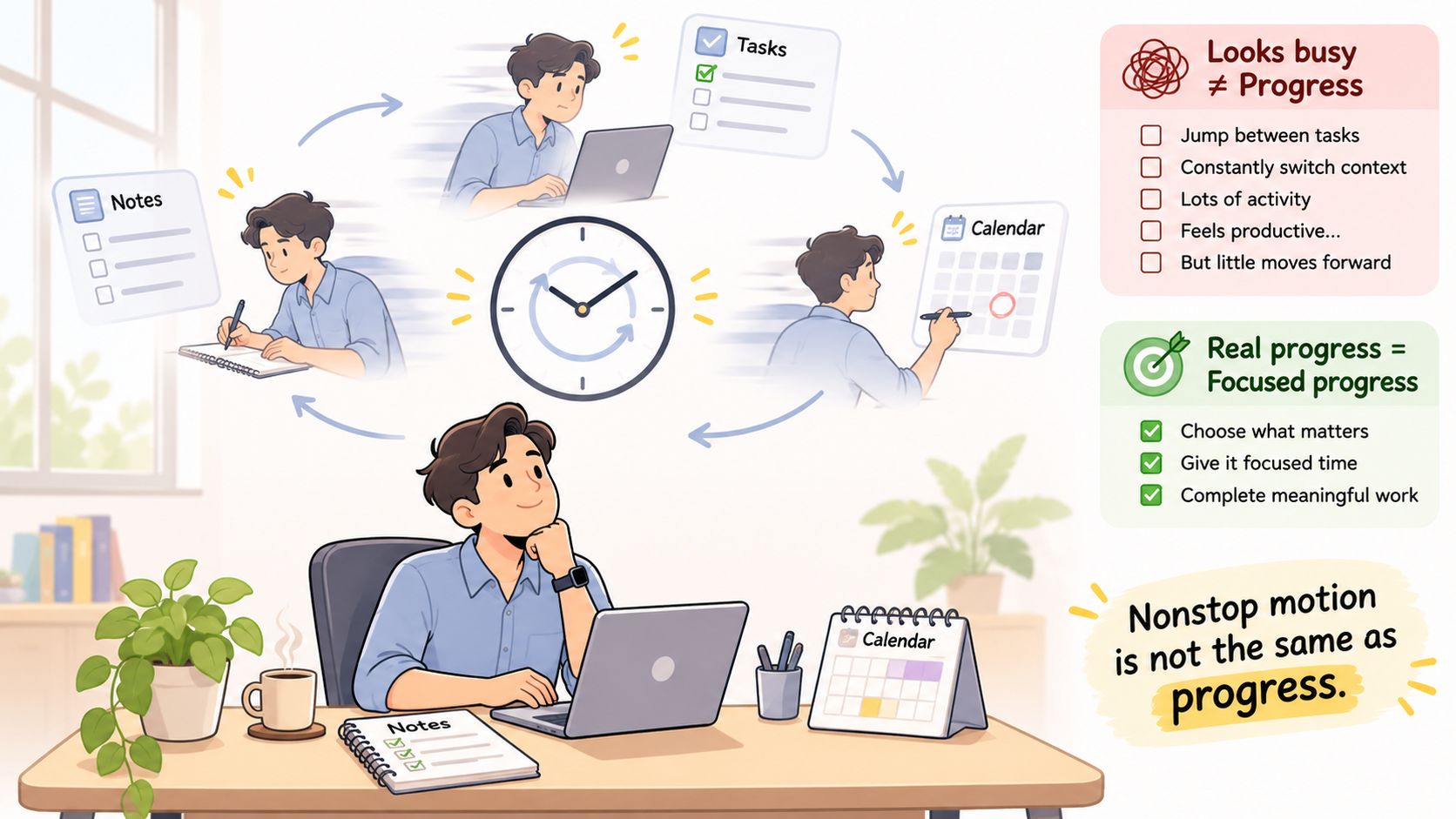
Three ways to judge a session
Don't grade the afternoon by minutes in a single app. Grade it by what the switching did.
Progress toward the goal. Did the proposal move, the lesson get learned, or the decision get made? Busy motion that leaves the goal untouched is a warning, even if the calendar looks full.
Quality of decisions and learning. A switch that checks a number you need can improve a decision. A switch that dodges a hard paragraph usually doesn't. When several goals compete, sorting competing priorities matters more than guarding a single block.
Energy after the session. Finishing drained, with nothing shipped, is a different result from finishing tired and clear. Recovery, coordination, and deep work aren't the same job.
The more useful metric is appropriate engagement with the right task at the right moment.
A low on-task percentage is a signal to ask whether the switching served the goal. It isn't an automatic verdict of failure. Deep work still deserves protection. So does the alternation that complex work needs.
A short talk on protecting attention can sit beside that judgment, not replace it.
Build Your On-Task Plan for This Week
Keep the week small enough that you can read the result. One change, five sessions, one comparison.
- Run the five-session baseline first. Record engaged percentage, the longest uninterrupted stretch, and a plain note on output quality. Don't tweak the setup while you're still learning it.
- Change one factor only. Pick attention, goals, environment, or task fit. If you chose goals, rewrite every block as a first step with a stopping point, and leave the phone where it is.
- Write a restart note at every breakpoint. State where you stopped and the next physical action. The note is the bridge, not a diary.
- Name the need behind each switch. Replace one habitual switch with a planned break that has a set end time, such as a four-minute walk.
- Compare at the end of the week. Set the new engaged percentage, longest stretch, and output quality next to the baseline. Ignore vibes.
The decision rule
If engaged percentage rises and output quality holds steady, keep the adjustment and add a second factor next week. If the percentage stays flat, keep the same factor for one more week before you swap it. If output quality falls, stop the change and read the switch log for the switches that are doing the damage.
FocusJourney's free 60-minute strategy call is one place to sort that log with another person. The coach explores what's keeping someone stuck, clarifies what matters most, and identifies the best path forward. Inquiries go by email, and the coach responds within 48 hours with next steps. Callers leave with greater clarity and practical next steps they can begin taking immediately.
FocusJourney helps people build consistent focus and stay engaged with meaningful work, learning, and the rest of life, including the gap between a scheduled block and time spent on the task. If the switches, the vague goals, or the recovery lag in this article sound familiar, a closer look at your own pattern is the next useful step. Visit FocusJourney to explore coaching and resources for that work.